
Kids Coloring Drawing Games
Toy Tap LLPEducational
4.618.00 Reviews
- Version
- 2.5.2
- Installs
- 5.00M
- Age Rating
- Everyone
Screenshots
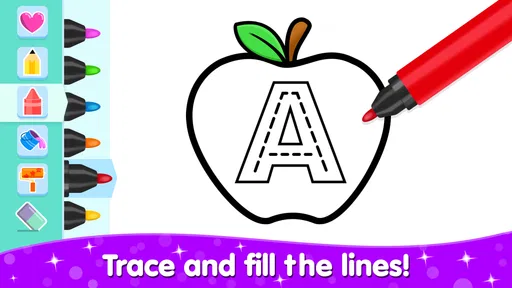
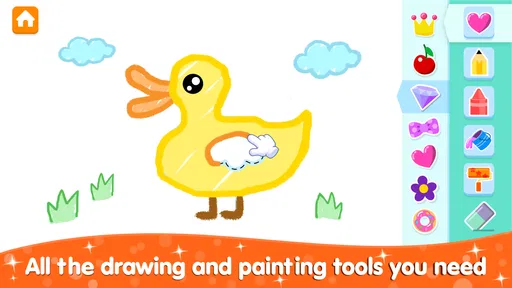
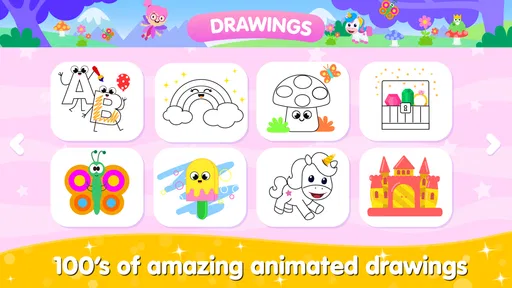
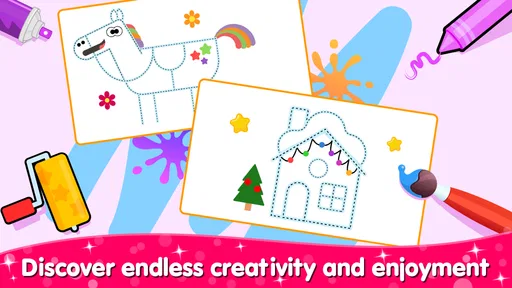
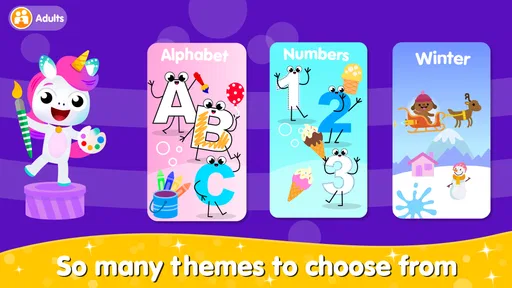
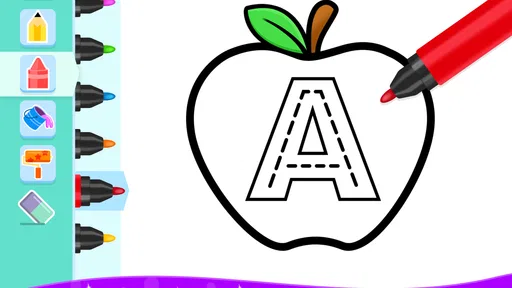
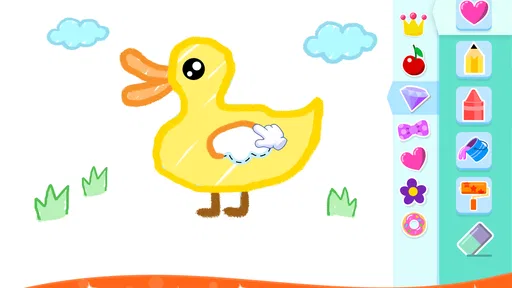
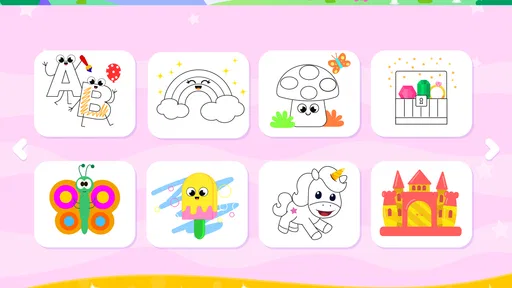
Our Review of Kids Coloring Drawing Games
 Analysis by Appyee
Kids Coloring Drawing Games is the kind of educational game I would keep ready for a quiet afternoon, a restaurant wait, or a short creative break at home. I found its appeal easy to understand: it gives children a simple place to draw and color without asking them to master complicated controls first. The experience is aimed at Everyone, and the free entry point makes it easy for a parent to try before deciding whether it belongs on a child’s device.
What matters here is not advanced gameplay or a long story. The value is in the small act of choosing colors, filling a picture, and making something that feels personal. Toy Tap LLP presents it as a children’s coloring game, but I think its better description is a low-pressure creative activity with an educational flavor. It can support color recognition, hand control, attention, and independent play, although it should not be mistaken for a full drawing course or a replacement for open-ended art materials.
The game has reached over five million installs and holds a 4.6 average from around 3.3 thousand ratings, which suggests that many families find the basic idea useful. It was released on November 4, 2023, and the current version is 2.5.2. Those details are helpful when checking compatibility, especially if a child is using an older phone or tablet. The minimum requirement is Android 7.0, so the app is accessible on a broad range of devices.
Getting past the first points of friction
I’d use the first session to find a comfortable rhythm rather than trying to explore every option at once. A child can choose a picture, make a few color decisions, and show an adult the result before moving on; that also gives you a chance to see whether the touch controls feel natural on your device. Once those basics are settled, it’s easier to judge whether this guided format is enough or whether a more open-ended art app would suit your child better.
Where children and parents can get stuck
The first difficulty with a coloring game is often not coloring itself. It is understanding what can be tapped, what changes the selected color, and how to return from a finished picture to another activity. A young child may press several areas quickly and assume that nothing happened, while a parent may expect a more obvious instruction system. I recommend sitting beside the child for the first session rather than handing over the device and walking away immediately.
That first shared session also reveals whether the controls suit the child’s age and motor skills. A preschooler who enjoys broad gestures may have a good time, while a child who wants precise pencil-like drawing may find touch input less satisfying. This is an important distinction: the game is strongest as an approachable coloring activity, not necessarily as a detailed digital art studio.
Another common sticking point is the difference between a child’s intention and the screen’s response. Small fingers can touch the wrong area, select an unwanted color, or draw outside the intended space. I would treat those moments as part of the learning process rather than immediately correcting every mark. If the child becomes frustrated, switching to a simpler picture or taking a short break usually works better than repeatedly explaining the same gesture.
My most useful early tip is to let the child complete one picture before exploring everything else. That creates a clear beginning and ending, and it helps the child understand the basic rhythm of selecting, coloring, and moving on. Once that feels natural, the activity becomes more independent and less dependent on a parent’s instructions.
Setup checks before handing over the device
Because this is a free game, installation is an easy starting point. I would still check the device before the child uses it: make sure Android is supported, close demanding apps running in the background, and charge the tablet if it is being used during travel. These are ordinary checks, but they prevent a child from blaming the game when the real problem is a tired battery, a slow device, or a crowded system.
The age rating of Everyone makes the game suitable for a broad family audience, but that does not mean every child will use it in exactly the same way. A very young child may need help with navigation, while an older child may quickly finish the available activity and ask for something more challenging. I would set expectations based on the child’s patience and drawing ability rather than the age label alone.
It is also worth deciding how the game fits into the child’s routine. I prefer using it as a short creative station rather than leaving it open indefinitely. A simple plan works well: choose one or two pictures, talk about the colors, and then put the device away. This keeps the game connected to an activity instead of turning it into background screen time.
In-app purchases are listed at $2.99 per item. That makes the free starting point attractive, but I would still review purchase settings before giving the device to a child. A child may tap through menus out of curiosity without understanding that a purchase is involved. The safest approach is to keep buying under adult control and explain that some choices may require a parent’s decision.
A smoother coloring workflow
I found the game easier to judge when I treated each picture as a small project. Before touching the screen, I would ask the child what they wanted the final image to look like. Then I would encourage them to choose a main color, add supporting colors, and pause to look at the result. This turns a quick tap-based activity into a simple exercise in planning and visual comparison.
For younger children, naming colors aloud can make the session more useful: “Which part should be blue?” or “What happens if we use two warm colors together?” The game does not need to deliver a formal lesson to support this kind of conversation. The parent supplies the language and the child supplies the choices. That combination is more valuable than simply filling every area as fast as possible.
A second practical technique is to avoid rescuing every imperfect mark. Digital coloring can create the expectation that every result should look neat, but children benefit from seeing that a picture can be finished even when it is uneven. I would only intervene when the child is genuinely stuck or when a control has been misunderstood. Otherwise, the slightly messy result is part of the child’s ownership of the work.
For children who lose interest quickly, I would use a “one change” challenge. Ask them to make one unusual color choice, add a personal variation, or compare two versions of the same idea if the available activity allows it. This keeps the focus on creativity rather than speed. It is also a useful way to tell whether the child enjoys the act of coloring or only the novelty of tapping through screens.
Recovering when a session goes wrong
If the game appears unresponsive, I would begin with the least dramatic explanation. Check whether the child is touching the correct area, wait briefly after a tap, and make sure another screen element has not been selected accidentally. If the device itself is sluggish, close other apps and reopen the game. These basic steps solve many everyday problems without changing settings or reinstalling anything.
When a child says that a picture has disappeared, I would first ask what they tapped immediately beforehand. Children often move to another screen and interpret that as losing their work. If the image is genuinely no longer visible, restarting the current activity may be less upsetting than repeatedly pressing buttons. For that reason, I encourage children to show an adult before leaving a picture they care about.
A helpful recovery habit is to separate technical trouble from creative disappointment. Sometimes the app is working normally, but the child dislikes a color choice or feels the picture is not turning out as expected. In that situation, restarting the device will not solve the real problem. I would suggest treating the result as an experiment, choosing a new section, or starting another picture after a short pause.
Parents should also remember that a child’s frustration can make ordinary controls look broken. If the child is tired, hungry, or overstimulated, even a simple coloring task can feel impossible. I have found that stopping for a few minutes is often more effective than giving increasingly detailed instructions. The game is meant to invite creativity, not become a test of persistence.
When the game is not the cause
Some problems associated with children’s apps come from the device environment. A dim screen can make colors appear dull, touch sensitivity can vary with a thick screen protector, and a small phone display may leave too little room for comfortable drawing. If the child works more easily on a larger tablet than on a phone, that is not necessarily a flaw in the game; it is a sign that screen size matters for this type of activity.
Performance can also depend on the age and condition of the device. If other apps are freezing, the coloring game may simply be showing the same wider problem. I would test basic device functions, check available storage, and restart the device before assuming the game itself is faulty. Keeping the operating system compatible is equally sensible, since this title requires Android 7.0 or later.
There is also a difference between a child wanting to color and a child wanting to draw freely. If the child keeps asking for blank pages, detailed brushes, layers, or more precise control, a dedicated art application may be the better choice. Kids Coloring Drawing Games is more suitable when the child benefits from a guided starting point. Its structure can reduce the intimidation of a blank canvas, but that same structure may feel restrictive to an experienced young artist.
Compared with physical coloring books, the game is cleaner, easier to carry, and more forgiving when a child wants to experiment without using paper. A real coloring book still offers a different hand feel and does not depend on battery life or touch response. Compared with a general drawing app, this game is likely to feel more approachable for a beginner, while the general drawing app may offer greater freedom. I would choose between them according to the child’s goal, not simply the child’s age.
Who will get the most from it
I think this game is a good match for children who enjoy visual choices but need a gentle starting point. It works particularly well during short supervised sessions, for travel, or as a calm activity after more energetic play. It can also help a parent begin conversations about colors, shapes, and decisions without turning the moment into formal homework.
A realistic everyday example would be a child waiting while a parent finishes an appointment. Instead of opening a fast-paced game, the parent can offer a picture to color and ask the child to choose a theme for it. Afterward, they can talk about the child’s choices. The activity remains simple, but it gives the waiting time a creative purpose and makes it easier to stop when the appointment is over.
I would be more cautious about recommending it to children who need a deep progression system, competitive challenges, or advanced art tools. It may also disappoint families looking for a completely open-ended creative workspace. Older children who already draw confidently may outgrow the guided format quickly, especially if they want to create characters or scenes from scratch rather than color prepared artwork.
The developer, Toy Tap LLP, has kept the basic proposition clear: this is a free educational game centered on kids coloring. The free access is a genuine advantage for families who want to test the experience first. At the same time, the optional purchases mean parents should manage access rather than assume that every visible choice is included without limits.
My practical verdict
After looking at the game as both a child’s activity and a parent’s tool, I see Kids Coloring Drawing Games as a useful, uncomplicated option for early creative play. Its strongest quality is accessibility: a child can approach coloring without needing to understand a complicated rule system. The educational value comes from the choices and conversations around the activity, not from expecting the game alone to teach everything.
The current version, 2.5.2, is a sensible detail to check when troubleshooting, especially if the app behaves differently from what a child expects. I would also remember that the game is free to start but includes purchases priced at $2.99 per item, so adult supervision around store screens is worthwhile. Those are small practical points, but they can make the difference between a relaxed session and an avoidable interruption.
My recommendation is strongest for families seeking a short, low-pressure coloring experience on a compatible Android device. Start together, test the controls, choose a manageable picture, and use the child’s own decisions as the center of the session. If the child wants unrestricted drawing, advanced tools, or more demanding challenges, another kind of art app will be a better fit. For beginners who simply want to color, explore, and make something of their own, Kids Coloring Drawing Games is an easy title to try.
In the end, I would not judge it by whether it replaces paper, pencils, or a full drawing course. It does not need to do that. Its role is smaller and more practical: offer a child a friendly digital space for creative choices, give parents an activity that is easy to introduce, and make a few quiet minutes feel more purposeful. Used with realistic expectations, it earns its place among simple educational games for children.
Verdict
Strengths of Kids Coloring Drawing Games
- Simple controls make it easy for young children to start coloring.
- Bright artwork and sounds create an engaging, child-friendly experience.
- Works well as a quiet activity for travel or waiting times.
- Offers creative freedom without requiring reading skills.
- Suitable for short play sessions and quick creative breaks.
Limitations of Kids Coloring Drawing Games
- Some content may feel repetitive after extended play.
- Sound effects can become distracting without device volume control.
- Younger children may accidentally open ads or purchase prompts.
- Limited advanced tools may disappoint older kids.
- Performance can vary on older or budget devices.
Other Releases by Toy Tap LLP
View All
Coloring and Drawing For Kids
Educational4.7

Toddler Car Games For Kids 2-5
Educational4.7

Coloring and Drawing For Girls
Educational4.7

Kids Monster Truck Games 2+
Educational4.6
Similar Picks in This Category
View All
Little Panda Policeman
BabyBus4.0

Monster Trucks Game for Kids 2
Raz Games4.1

Little Panda's Chinese Recipes
BabyBus4.4

Little Panda's Restaurant
BabyBus4.4

Little Panda's Ice Cream Games
BabyBus4.3

Baby Panda Care
BabyBus3.8
Frequently Asked Questions
What is Kids Coloring Drawing Games?
Kids Coloring Drawing Games is a child-friendly creative app that offers coloring pages, drawing tools, and simple artistic activities for young users. Children can choose pictures, fill areas with colors, draw freely, and experiment with different brushes and effects. Its straightforward interface is designed to encourage creativity while keeping the experience easy to understand for beginners.
What age group is Kids Coloring Drawing Games suitable for?
The app is generally suitable for preschool and early elementary-school children, although the ideal age may vary depending on a child’s familiarity with mobile devices. Younger children may need help selecting activities or navigating menus, while older kids can usually explore the coloring and free-drawing features independently. Parents should review the content and settings before use.
Does Kids Coloring Drawing Games require an internet connection?
Many coloring and drawing activities can typically be used without a constant internet connection once the app is installed. However, internet access may be necessary for downloading additional content, displaying advertisements, restoring purchases, or receiving updates. Availability can differ between versions, so parents should test the app offline and check its store description before relying on it during travel.
Is Kids Coloring Drawing Games safe for children?
The app is designed around children’s creative play, but parents should still supervise its use. Check whether the version includes advertisements, external links, in-app purchases, or data-collection features before allowing independent access. Using parental controls, disabling unauthorized purchases, and downloading the app only from official stores can help create a safer and more controlled experience.
Does Kids Coloring Drawing Games include in-app purchases or advertisements?
Depending on the version and the device platform, Kids Coloring Drawing Games may contain advertisements, optional purchases, or locked content that requires payment. These elements can differ by region and app update. Before downloading, parents should read the official store listing, review the permissions, and configure purchase restrictions so children cannot accidentally spend money while playing.
Play our best games!


